5:45 AM · Wake
Wake up to a plan, not a to-do list.
Better You reads your sleep, your schedule and yesterday's logs, then shows one next step. No dashboard to decode.
 BETTER YOU
Coming soon · iPhone
BETTER YOU
Coming soon · iPhone
Better You turns your goal, your schedule and what you actually log into one clear plan: what to eat, how to train, and when to recover.
Coming soon to the App Store for iPhone.
Better You reads your sleep, your schedule and yesterday's logs, then shows one next step. No dashboard to decode.
Where you're training and how long you've got decide the session. Twenty minutes? It finds one that fits.
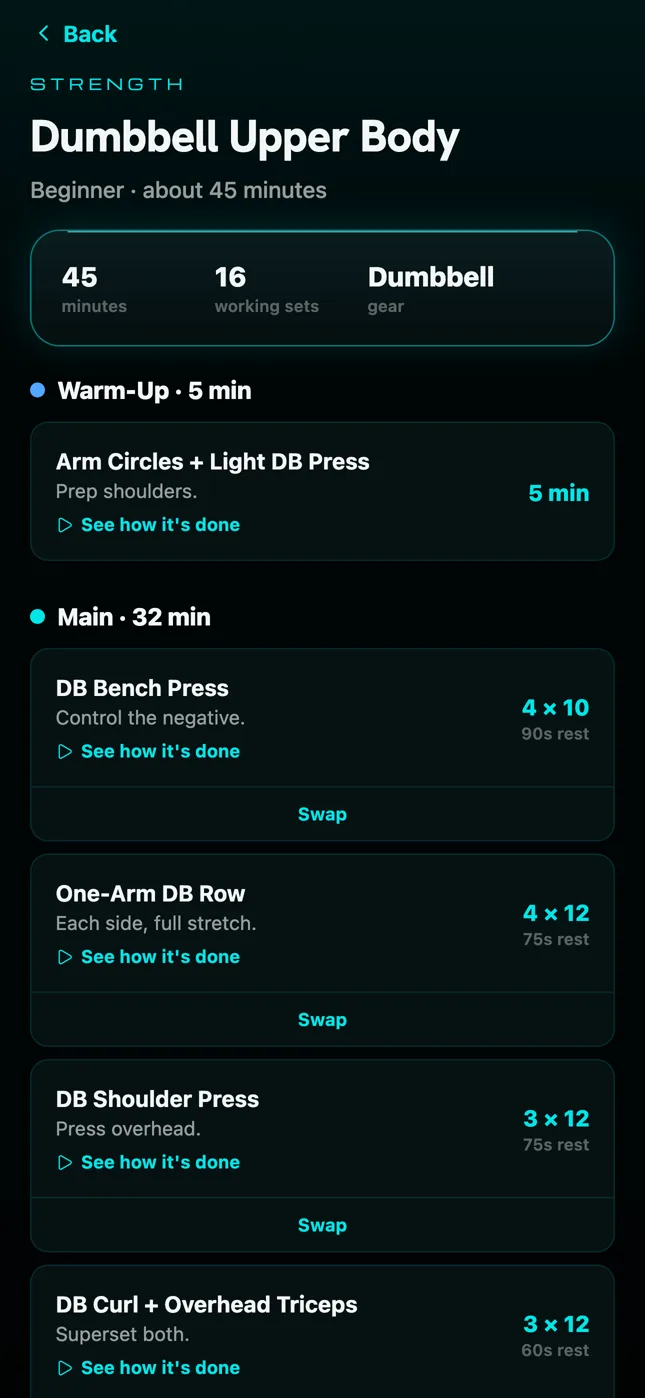
A timer that walks you through each set, swaps for any exercise you can't do today, and a session you can leave and resume.
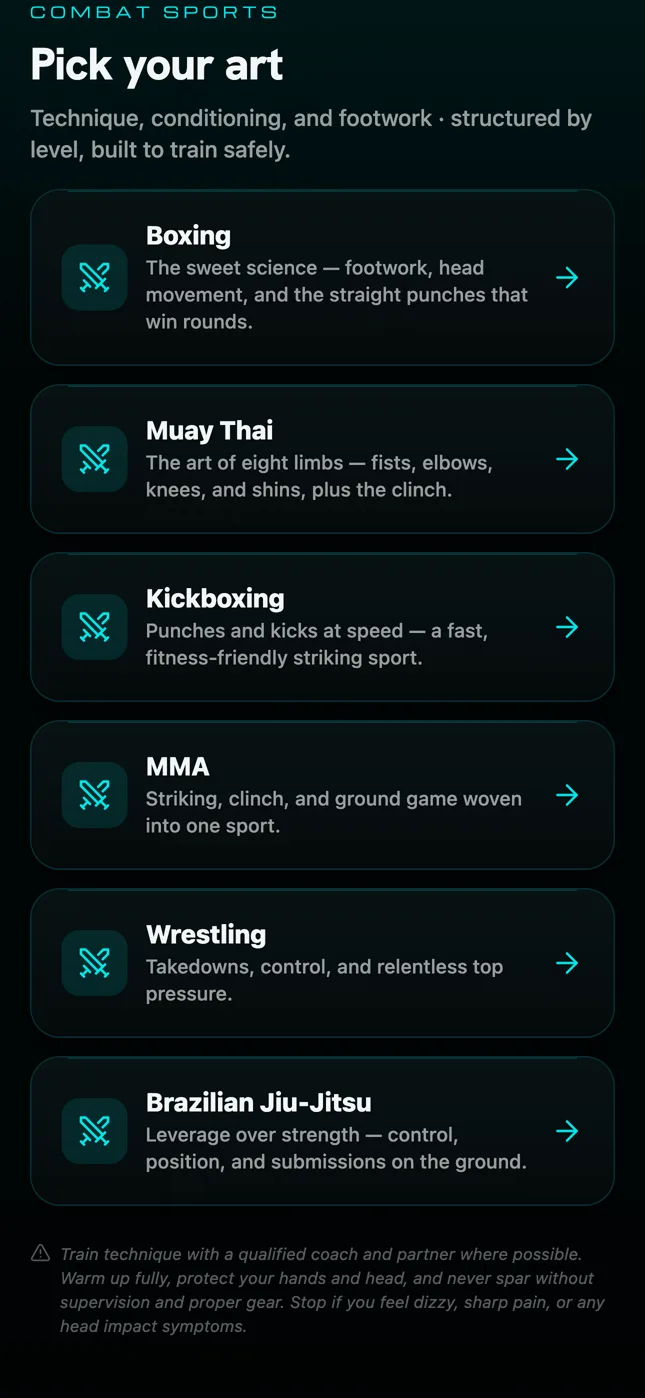
Boxing, Muay Thai, kickboxing, MMA, wrestling and jiu-jitsu, with rounds, technique and conditioning structured by level. The Combat hub is part of Elite.
Search, scan a barcode, snap a photo or tap a recent meal. Protein and calories left for the day, always in view.
“How much protein do I need?” gets the exact answer from your day. Pro adds full conversations about meals, training and recovery.
An honest summary of what you did, a trend weight that ignores water swings, and one small focus for tomorrow.
These are real screens from Better You, shown with an example week of logs.
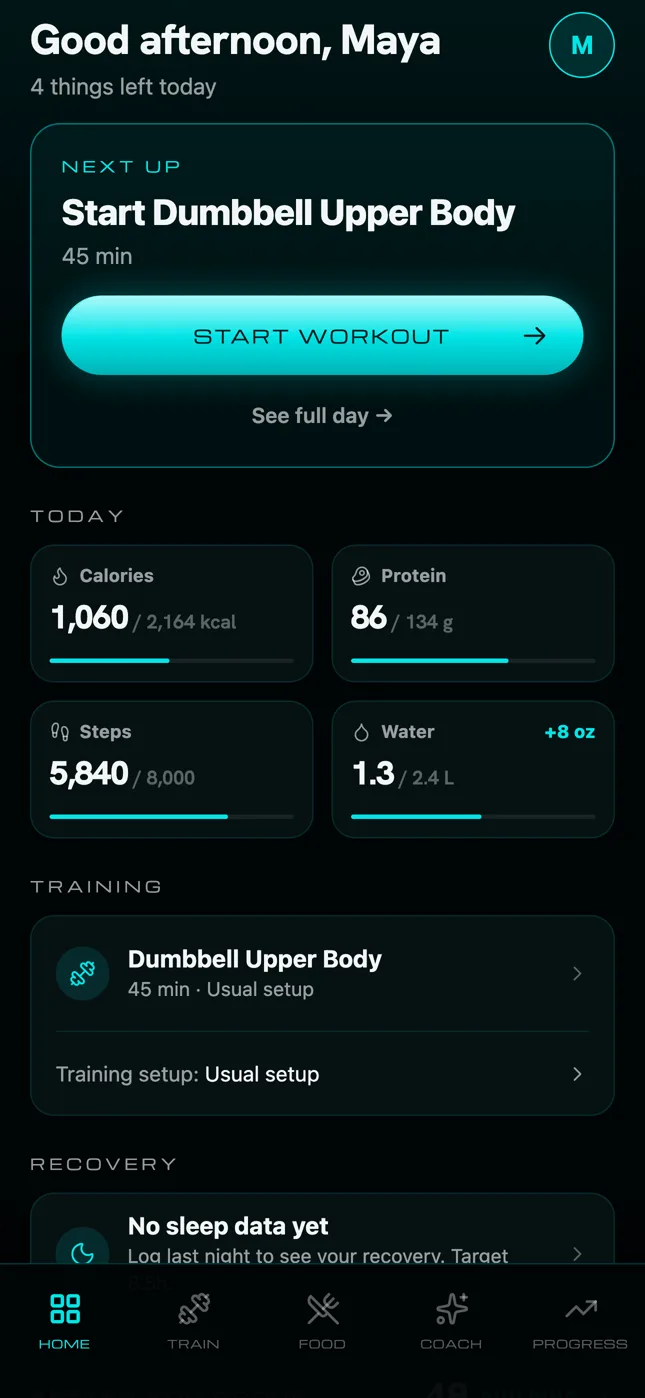
Home reads your plan, the time of day and what you've logged, then shows a single next step. Log breakfast in the morning, start your workout at lunch, protein at dinner. It never calls 8 AM “behind.”
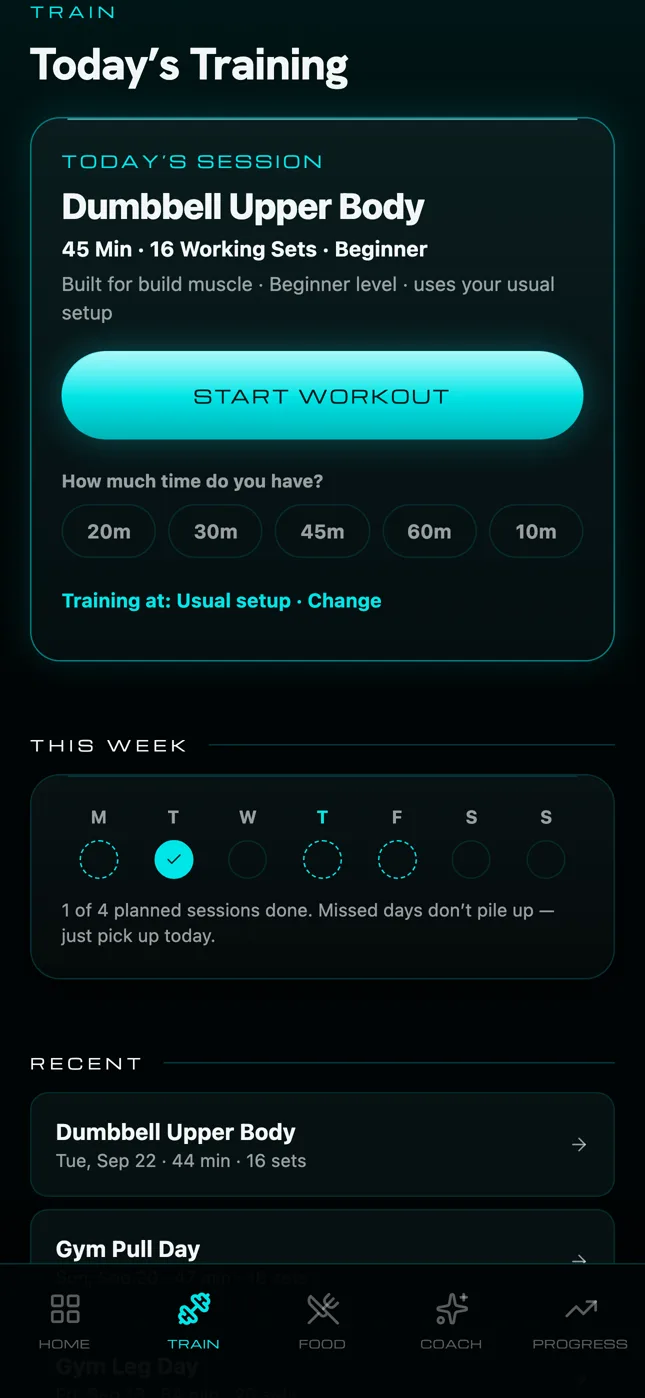
Tell it where you're training and how long you've got, and it picks a real session that fits. Short on time? Pick 20 minutes. Kit missing? Swap any exercise for one that works the same muscles with what you have.
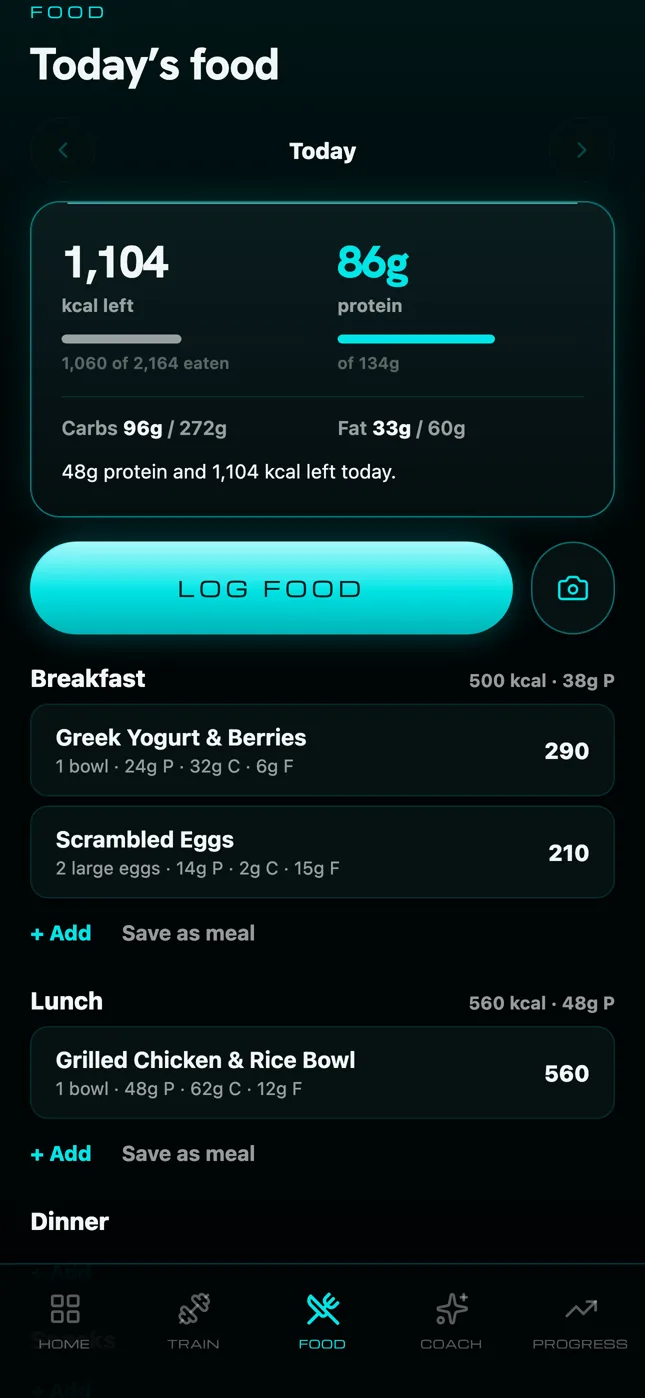
Search, scan a barcode, snap a photo or quick-add calories. Your recent foods and saved meals are one tap away, and the day always shows exactly how much protein and energy you have left.
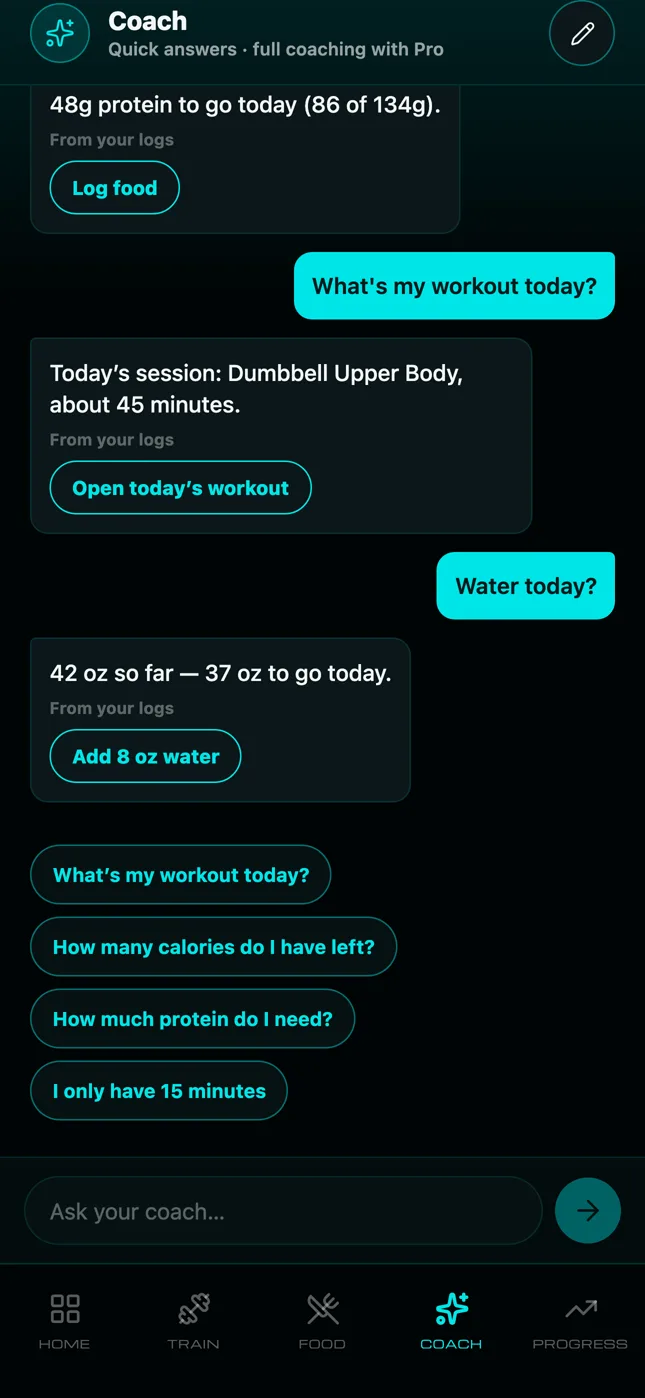
Ask what's left today and you get the exact figure from your logs, instantly and on your phone. With Pro, the AI coach talks through meals, training and recovery using your plan. It proposes actions; you tap to do them.
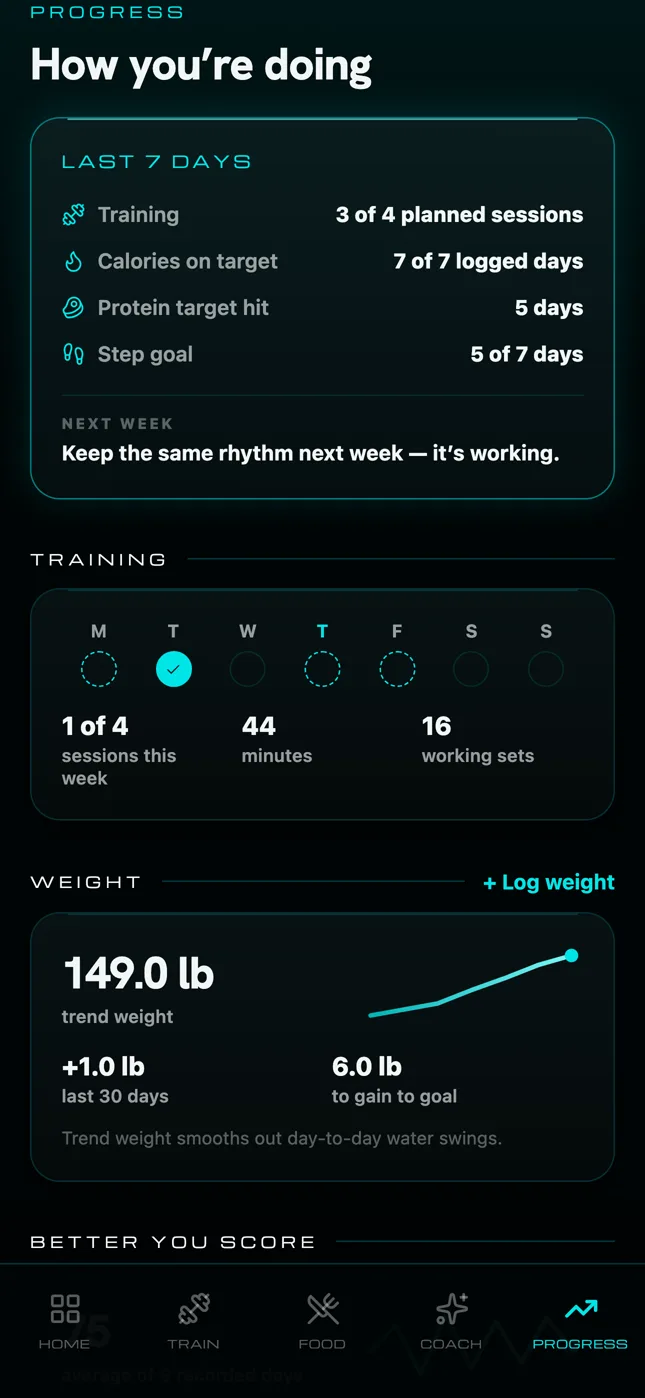
A weekly summary built only from what you logged, a smoothed trend weight that ignores day-to-day water swings, and one small focus for next week.
Steps, sleep, resting heart rate and active energy, only after you allow it. Apple Health data is never sent to an AI service and never used for advertising.
Progress photos are stored only on your iPhone and are never uploaded. Food photos you choose to scan are analysed and not kept.
Reset your data or permanently delete your account from inside the app. No emails, no forms.
US prices. Your local price is shown in the App Store before you subscribe. Subscriptions renew automatically until cancelled in your Apple ID settings.
Better You is in final review for the App Store. This page will link straight to it the day it's live.
No. Better You works on its own. If you use Apple Health, including an Apple Watch, it can read your steps and sleep so you don't have to enter them.
No. You pick your goal during setup: build muscle, get stronger, lose fat, have more energy, sleep better, or just feel healthier. The plan, food targets and workouts follow that goal.
No. It gives general fitness and nutrition guidance. Talk to a qualified professional before changing your diet or exercise, especially if you have a medical condition, are pregnant or take medication.
Subscriptions are handled by Apple. Cancel anytime in iPhone Settings › your name › Subscriptions, or from Profile › Manage subscription in the app.